Home, arranged your way
Choose what the hero features, then reorder, rename, restyle or remove the shelves beneath it — Top 10 Films and Series, Coming Soon, New Releases, Recommended and more.
A native movie and TV series hub for iPhone, Mac and Apple TV. Discover what to watch, keep your place across devices, and play from the sources you already use.
iPhone Mac Apple TV
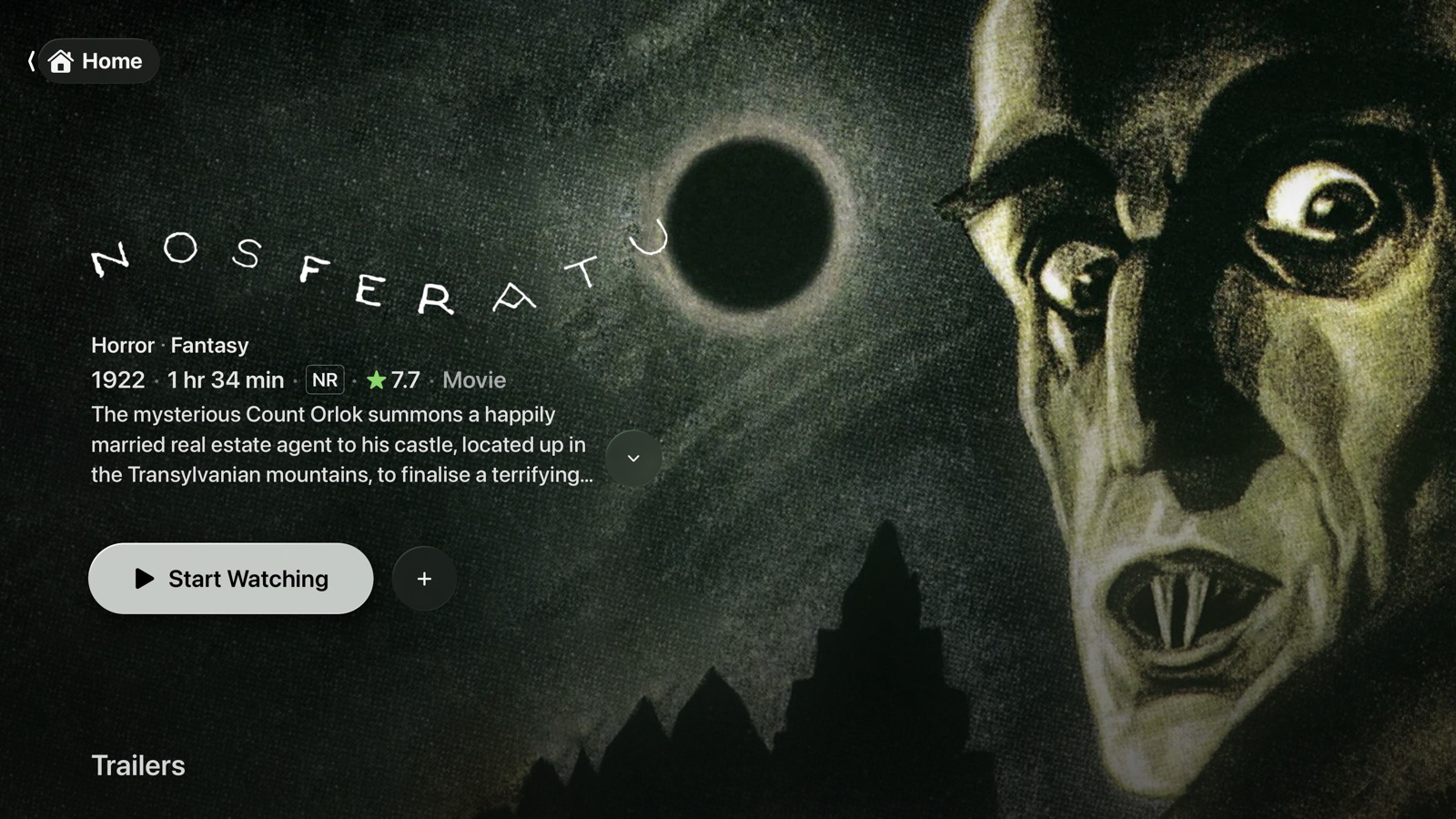
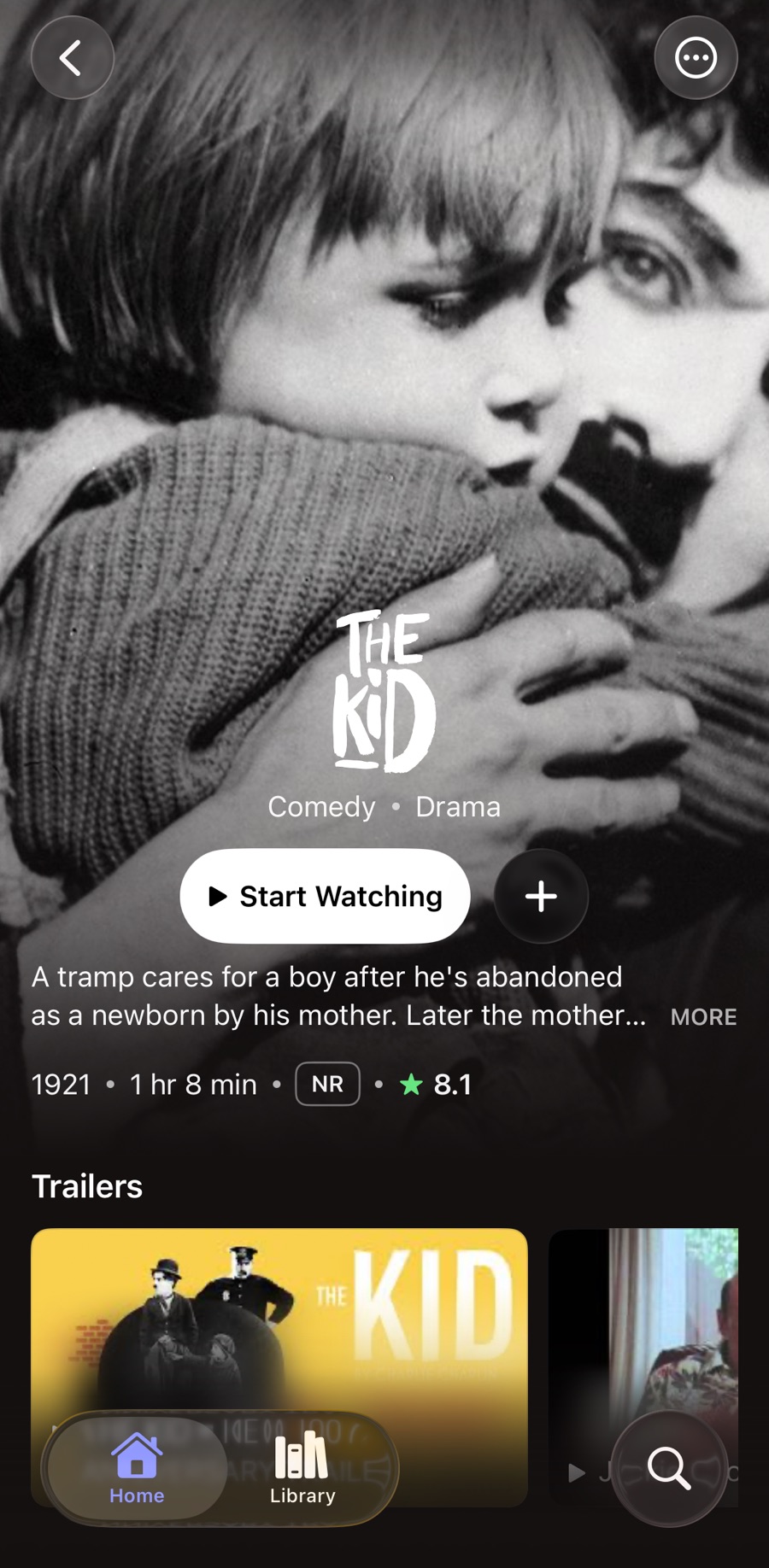
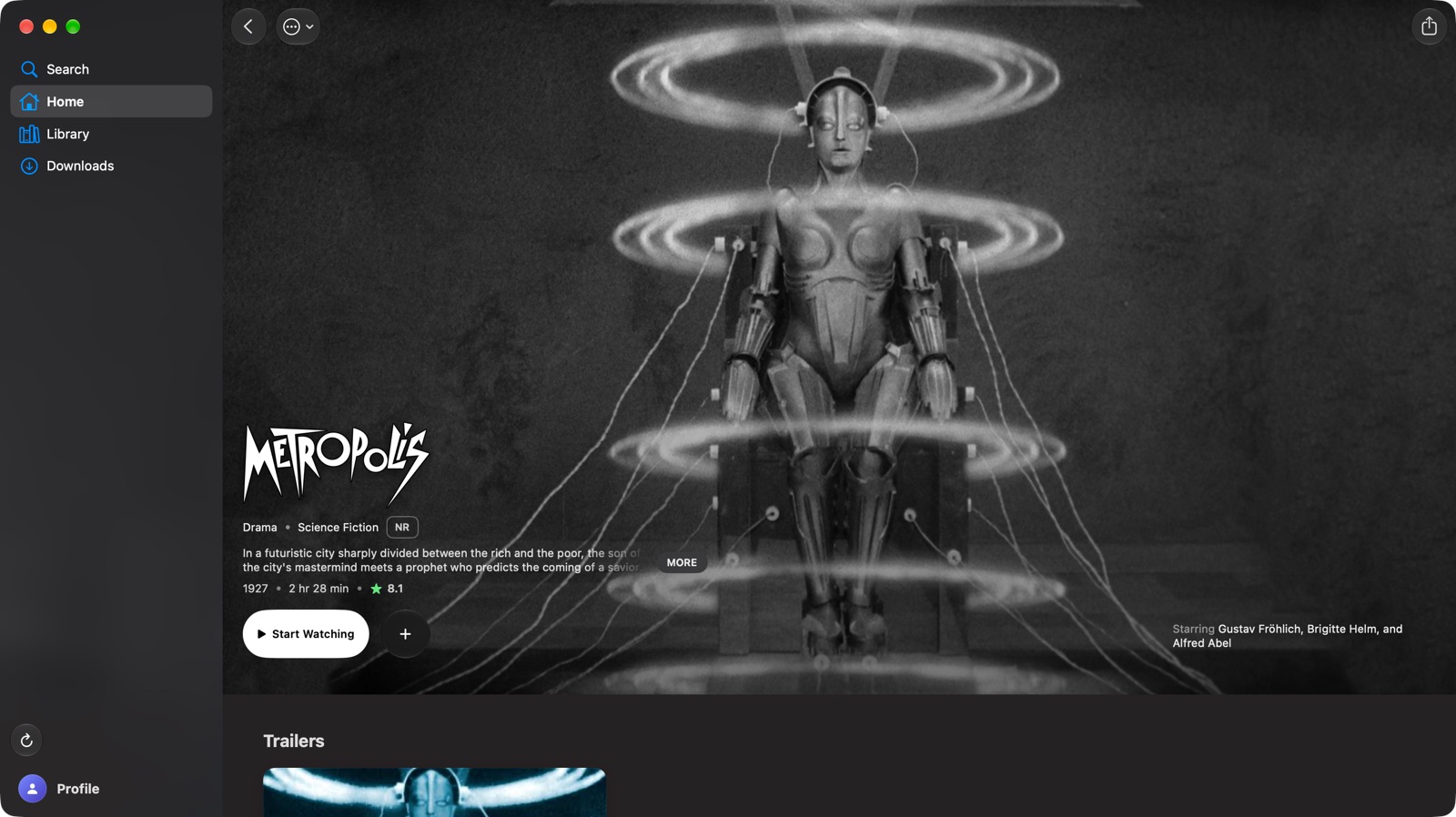


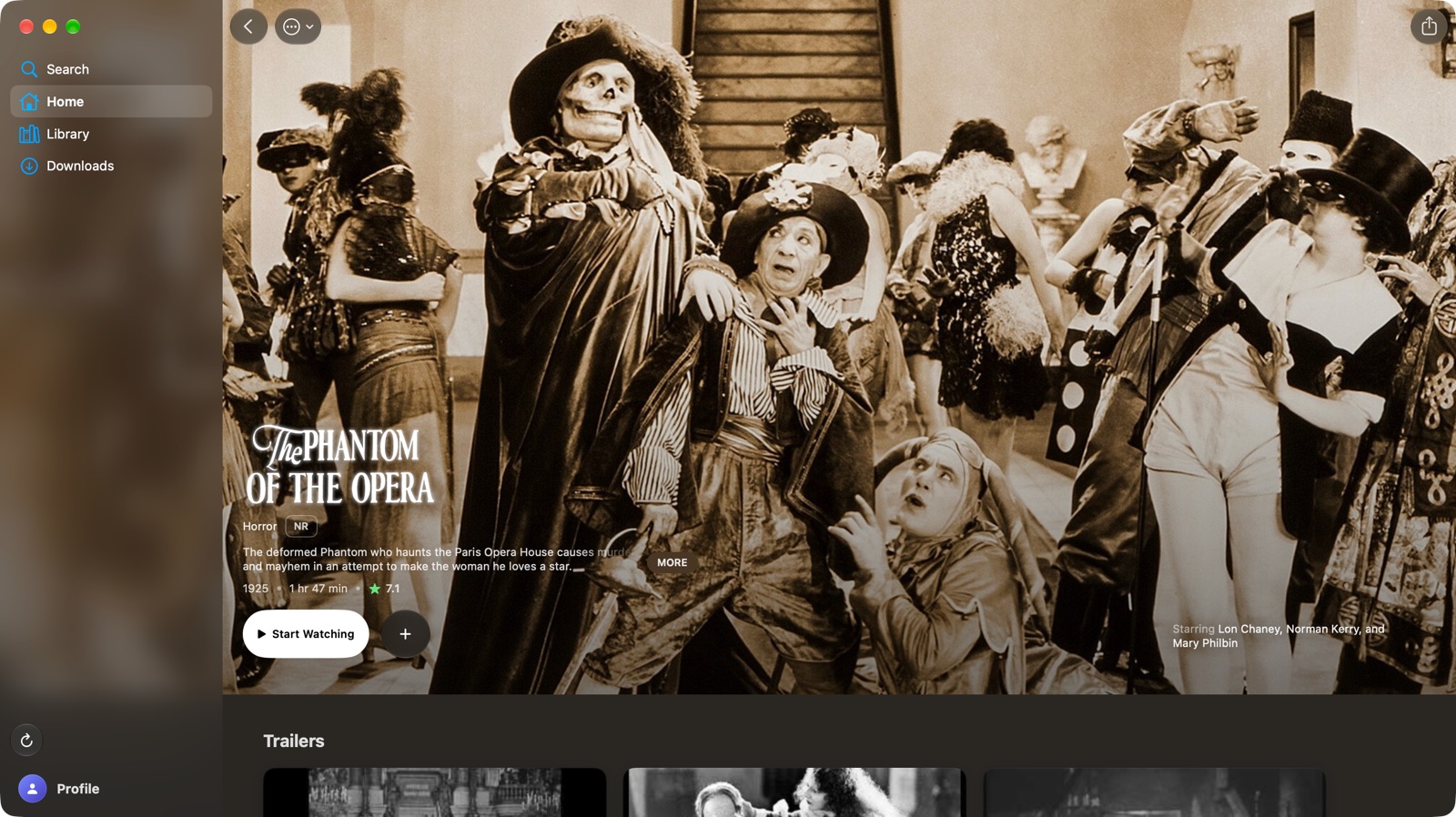

Catalyst on Apple TV, iPhone and Mac, shown with public-domain films.
Choose what the hero features, then reorder, rename, restyle or remove the shelves beneath it — Top 10 Films and Series, Coming Soon, New Releases, Recommended and more.
Trailers play in the Home hero and on detail pages, and on Mac, hovering over a title previews its trailer. Play them muted, turn them off, or skip them for shows you’re partway through.
Powered by KSPlayer and FFmpeg for broad format support. It resumes where you left off, follows your preferred audio and subtitle languages, offers Skip Intro where timings exist, and rolls on to the next episode.
Hand a stream to Infuse, VidHub, VLC, Outplayer, Forward or SenPlayer. Infuse and VidHub report back where you stopped, and Catalyst sends that progress to Trakt.
Connect Plex or Jellyfin and Catalyst plays straight from your library, matched by TMDB ID. Titles on your server show its own artwork and details; everything else comes from TMDB, side by side on the same shelves.
A status button beside Play shows whether your server has a title. If it doesn’t, it searches with the plugins enabled in qBittorrent and sends your pick to the server — and says Ready to play only once Plex or Jellyfin can play it.
Without a media server, Catalyst resolves streams through Stremio-compatible add-ons, ranks them by rules you put in order, and can remember the source you picked for each title.
Sign in to Trakt and your Continue Watching, history, watchlists and custom lists follow you between devices. The built-in player can scrobble as you watch.
A small server you host yourself that keeps settings, lists and playback progress in step across your devices. Changes are saved on the device first and sent once the server can be reached.
What to know about Catalyst.
Catalyst is a native app for iPhone, Mac and Apple TV that brings movies and TV series into one place. It finds titles and their details through TMDB, keeps your watch state with Trakt or CataSync, and plays from your own media server, Stremio-compatible add-ons, or a video player you already use.
No. Catalyst doesn’t host or sell any movies or shows. It plays from sources you connect yourself — a Plex or Jellyfin server, or add-ons you install. Titles, artwork and descriptions come from TMDB, or from your media server for titles it holds.
iPhone, Mac and Apple TV. Catalyst requires iOS 26.2, macOS 26.2 or tvOS 26.2 or later.
Not yet. Catalyst is unavailable at this time.
There’s no Catalyst account, and no API keys to set up — TMDB metadata works out of the box. Trakt and CataSync are optional; without either, watch state can be kept on the device only.
Choose where progress and watched state live: Trakt, CataSync or this device only. CataSync also carries your settings, lists, Home layout and media server configuration, so a new device arrives set up. Every change is written on the device first; if the server is offline, Catalyst keeps working and sends pending changes when it returns, without overwriting newer edits made on another device.
Catalyst contains no analytics or advertising. API keys, passwords and tokens are stored in the Keychain. The app talks to the services it’s built on — TMDB for metadata, PublicMetaDB for favourites and intro timings, and trailer sources — and to the accounts and servers you connect. If you use CataSync, your settings, including media server credentials, are stored on your own CataSync server.
Yes. On iPhone and Mac, Catalyst can hand streams to Infuse, VidHub, VLC, Outplayer, Forward or SenPlayer. On Apple TV, Infuse and VLC are available. The built-in player is the one that supports Catalyst’s own controls, resume and watch progress.